Seedream Understands
the Design. Renderforest
Makes It Move.

Generate and edit with ByteDance's Seedream models: 5.0 Pro for layered
designs and multilingual text, 4.5 for 14-reference consistency, 5.0 Lite and 4.0 for fast, cheap batches. Then animate any result with image-to-video AI and finish it
in one editor. One subscription, no API keys.

Start free with the Renderforest model, unlock Seedream on any paid plan

0/10

Also on your plan: Nano Banana Pro, GPT Image 2.5, Flux.2 Pro, Grok Imagine

Describe the image to generate it

4.8 on Capterra

4.7 on G2

Trusted by teams and creators in 100+ countries. 40M+ users · 120M+ projects since 2013

How to use Seedream in Renderforest

  1. Describe it, or drop in references.

    Type the image you want (put any text that must appear in quotes) or upload up to 14 reference photos: a product, a face, a sketch, a layout to match.

  2. Pick the Seedream for the job.

    5.0 Pro when the design matters (layers, layouts, text in a dozen languages), 4.5 when consistency across many references matters, 5.0 Lite or 4.0 when speed and price matter. The picker shows the credit cost before you click.

  3. Edit by pointing, then animate.

    Click or lasso the part to change, keep everything else; split the result into editable layers; then send the image to Seedance 2.5 or Kling 3.0 image-to-video. No exporting, no second tool.

    Only in Renderforest
  4. Finish and publish.

    Trim, add music, subtitles and your brand kit in the editor, resize for every platform, export watermark-free with a commercial license on paid plans.

What makes Seedream different

  • A model that understands layout

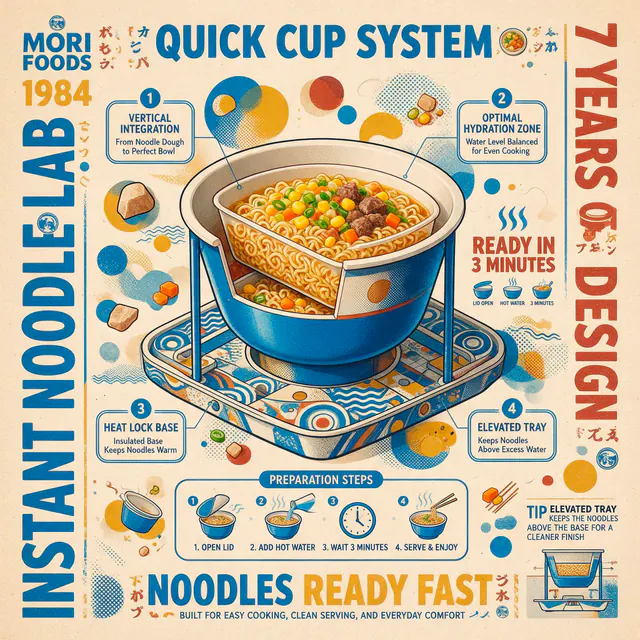
    Seedream 5.0 Pro was built for design work, not just pictures: infographics with correct charts, posters with a headline and a subline where you asked for them, packaging with the label text intact. Describe the information and it organizes it. ByteDance calls it "information visualization", designers call it a first draft they can ship.

  • Every Seedream, one picker, and the video button

    4.0, 4.5, 5.0 Lite and 5.0 Pro sit in the same dropdown with credits per image shown, next to Nano Banana, GPT Image, Flux and Grok Imagine. Any result goes to image-to-video with one click. Aggregators end at download; Renderforest keeps going.

  • Text in a dozen languages

    Chinese and English natively, plus French, German, Spanish, Russian, Japanese, Korean, Arabic and more, rendered as typography, not gibberish. Localize one poster into five markets by changing one word in the prompt.

  • Layers you can actually edit

    5.0 Pro can split a finished image into separate layers (background, subject, text, effects), exported as transparent PNGs you can rearrange in the Renderforest editor or any design tool. No other hosted Seedream page offers this step.

  • Fourteen references, one consistent result

    Seedream 4.5 and 5.0 Lite take up to 14 reference images and keep the person, product or style consistent across every output: character sheets, catalog sets, campaign families. Native 2K output, 4K where the version supports it.

  • Edit by pointing, not re-rolling

    Click a point, draw a lasso or sketch a shape and tell 5.0 Pro what to change there: a color, a material, an object. The rest of the image stays pixel-for-pixel the same. Multi-image fusion merges elements from several uploads into one scene.

Who uses Seedream in Renderforest

  • Marketers & ad teams

    Marketers & ad teams

    Generate the campaign visual with the offer rendered in-image, split it into layers, swap the headline per market, then animate the hero into a 6-second ad for every placement.

    Build an ad set from one prompt
  • E-commerce sellers

    E-commerce sellers

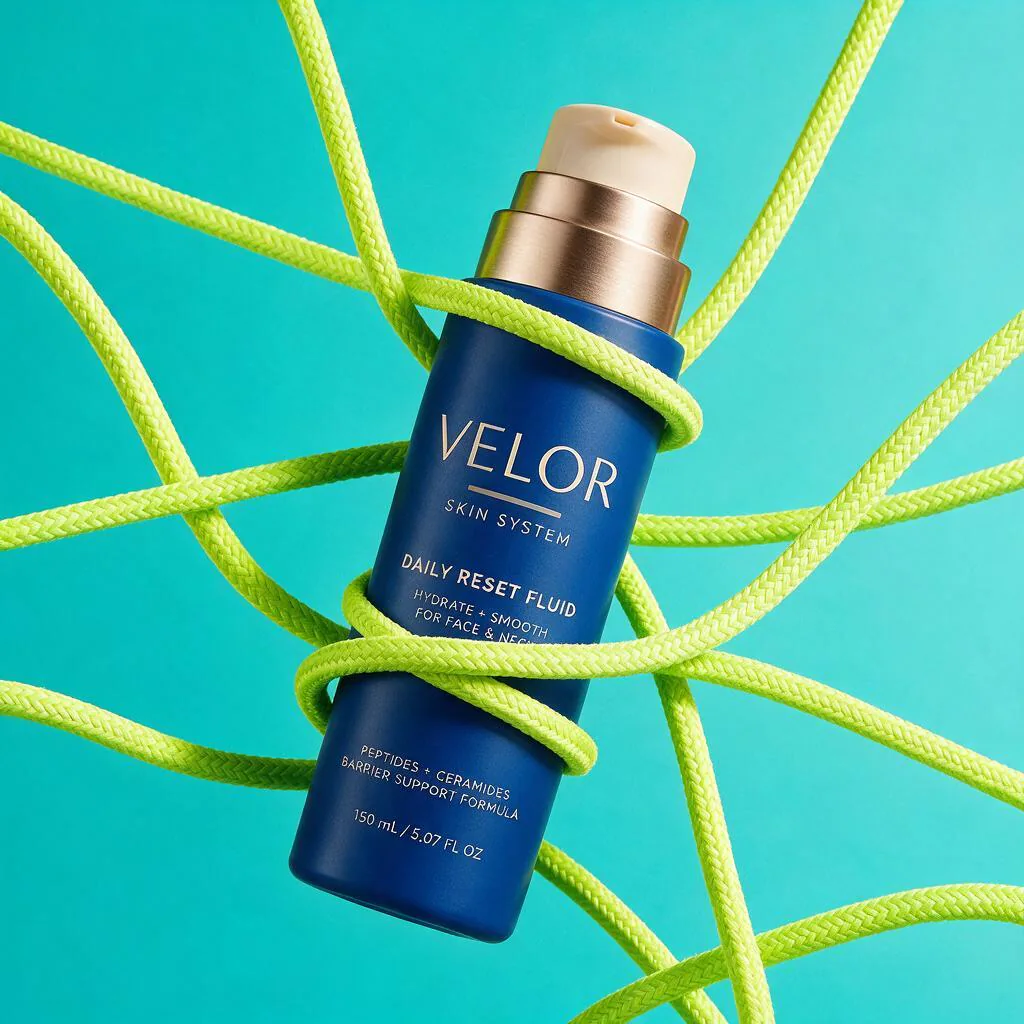
    Three product photos in, a catalog out: the same bottle on a marble counter, in a gift box, on a beach, label text intact, then a product video for the listing.

    From product photo to product video
  • Graphic designers & agencies

    Graphic designers & agencies

    Posters, infographics and packaging drafts with real layout logic and editable layers; iterate by pointing at the part the client wants changed.

    Draft the deck before the brief ends
  • Social media managers

    Social media managers

    A week of posts from one brief with 4.0 and 5.0 Lite at a few credits each, resized for Reels, Stories and feed, on-brand through the brand kit.

    Fill the calendar without a designer
  • Character & storyboard creators

    Character & storyboard creators

    Keep a character identical across 14 references and every pose, build the sheet, then animate key frames into motion tests with Seedance.

    Build a consistent character
  • Localization & international teams

    Localization & international teams

    The same design with headline and fine print in Japanese, Arabic, German and Spanish, exported as a set. No five designers, no retyping.

    Localize a campaign in an afternoon

Seedream examples, prompts included

Each card shows the exact prompt, the version that ran it and what it cost. Run the prompt yourself or animate the image.

  • Seedream 5.0 Pro32 credits

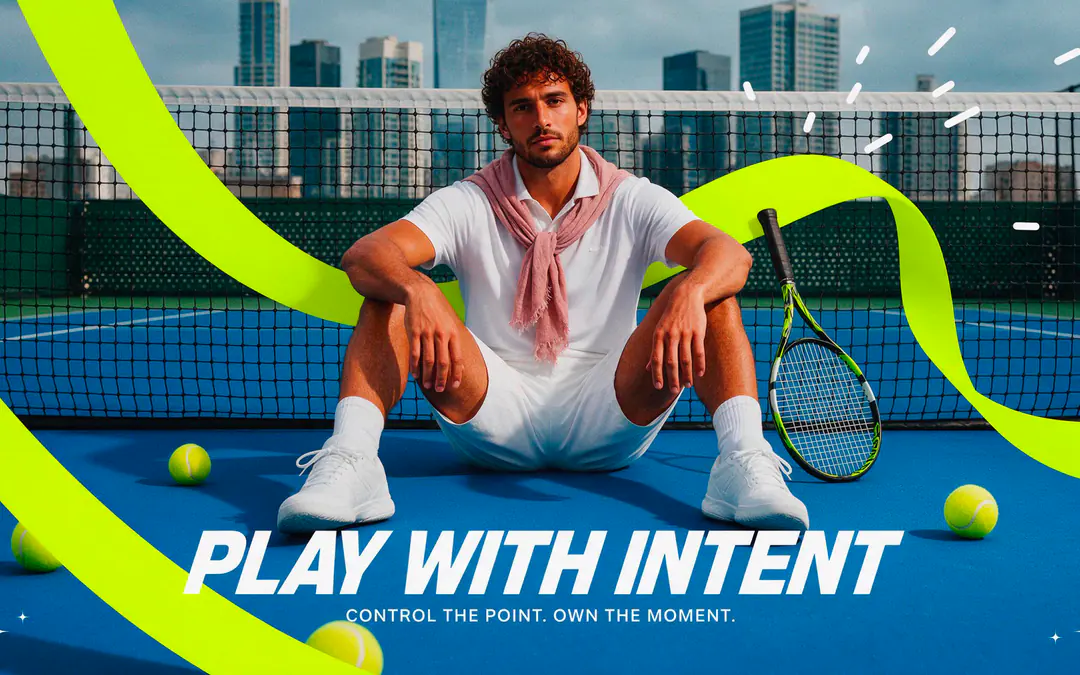
    Tennis campaign poster
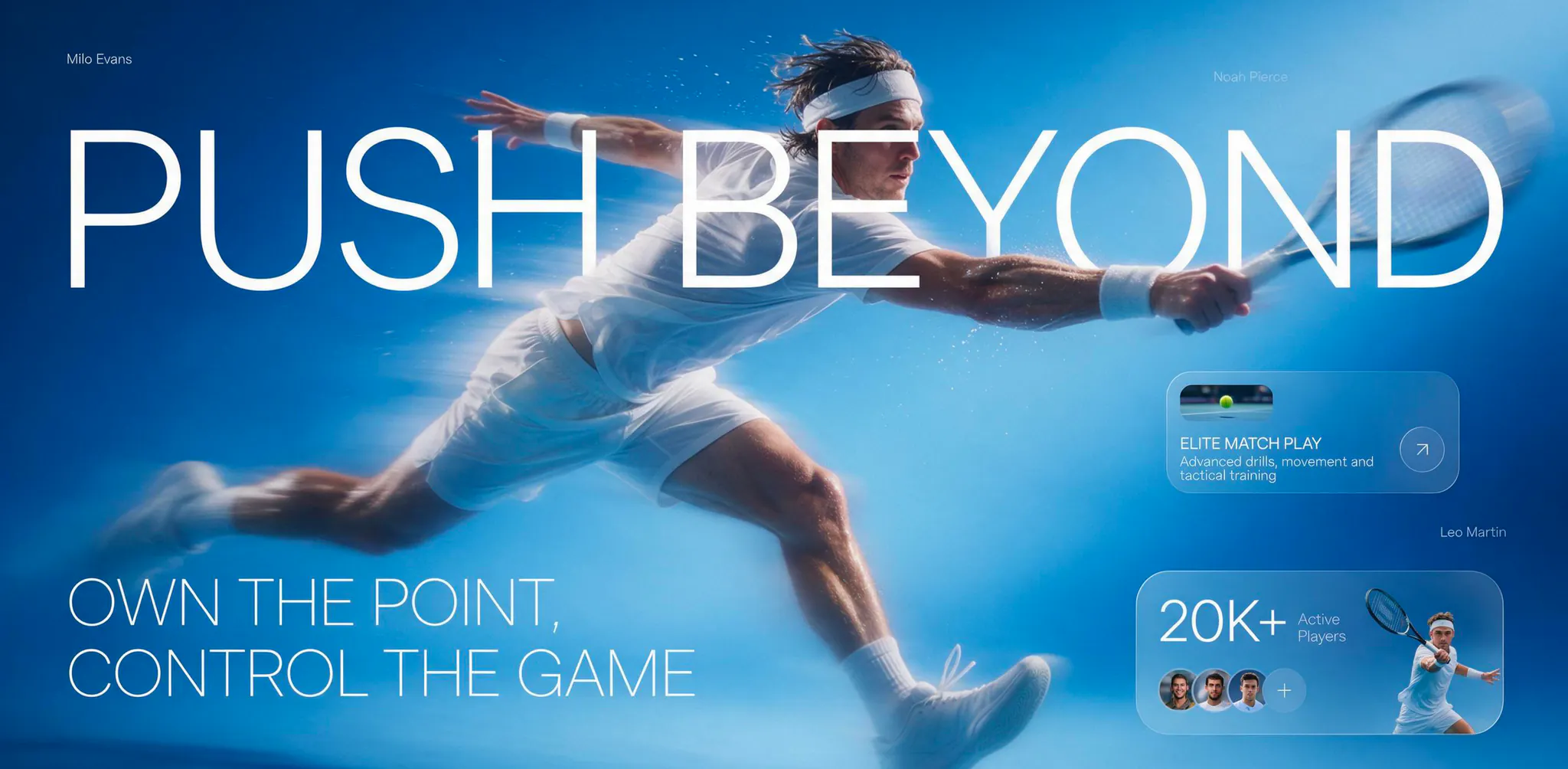
    Create a bold contemporary tennis campaign poster with a premium editorial sports aesthetic. Show a stylish male tennis player seated casually on a vivid cobalt-blue hard court directly in front of the net, centered in the composition with his legs open and knees raised, wearing a clean white polo shirt, white tennis shorts, white socks, white sneakers, and a soft dusty-rose neck scarf tied loosely around his collar. Place a tennis racket on the court beside him and scatter several bright yellow tennis balls around the foreground. Keep the urban tennis setting visible in the background with fencing, distant modern high-rise buildings, and slightly hazy daylight, using subtle grain and a polished fashion-photography finish. Add oversized electric-lime graphic ribbon shapes sweeping dramatically across the foreground and background, partially passing behind and around the player to create strong visual movement without obscuring his face. At the lower center, place the large white headline “PLAY WITH INTENT” in a bold futuristic condensed sans-serif, and directly beneath it add the smaller line “CONTROL THE POINT. OWN THE MOMENT.” in clean uppercase white text. Add a few minimal white abstract speed marks near the upper portion and tiny white sparkle symbols in the lower corners. Keep the overall composition balanced, energetic, sporty, modern, and highly graphic, with cobalt blue, electric lime, white, and soft rose as the dominant palette. No logos, no other text, no watermark.
  • Seedream 5.0 Lite8 credits

    Folk-art chef illustration
    Create a bold hand-painted editorial illustration with a playful modern folk-art aesthetic on a vivid burnt-orange textured paper background. Show a stylized chef-like figure holding an oversized bright blue bowl filled with exaggerated vegetables and ingredients, including leafy greens, a large orange carrot, tomato, mushrooms, onion, garlic, and abstract food shapes, all simplified into chunky flat graphic forms with intentionally imperfect proportions. Make the figure highly stylized with elongated arms, oversized hands wrapping around the bowl, a tall white chef hat, simple facial features, and a black vest over a warm off-white shirt with minimal decorative line details. Above the bowl, add another oversized hand reaching down toward the ingredients to create a surreal layered composition. Use thick organic shapes, rough black outlines, cut-paper-like edges, visible brush texture, subtle ink speckling, and imperfect screen-print registration to keep the image handmade rather than polished. Use a limited saturated palette of burnt orange, cobalt blue, forest green, mustard yellow, dusty pink, warm cream, black, and tomato red. Keep the composition horizontal, tightly framed, energetic, balanced, and slightly whimsical, with the bowl and vegetables as the central focal point. No text, no logos, no watermark.
  • Seedream 4.510 credits

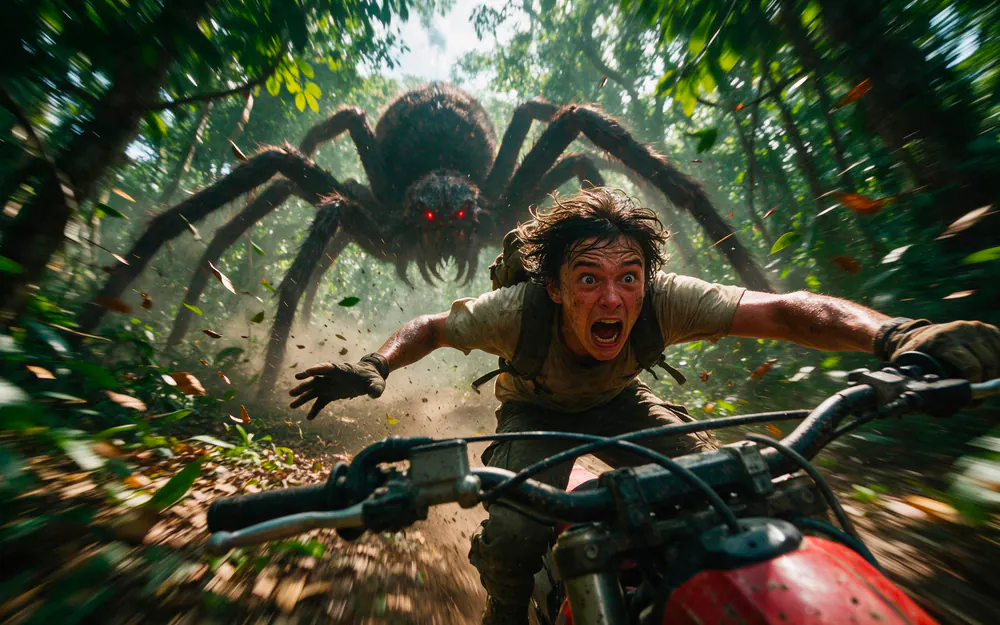
    Giant spider jungle chase
    Create a cinematic horizontal action photograph from an extreme front-facing wide-angle perspective, as if a camera is mounted directly on the front of a speeding off-road dirt bike racing through a dense jungle trail. Show a terrified young man riding aggressively toward the camera, leaning forward over the handlebars with both arms stretched wide, messy dark hair blown back by speed, mud and sweat on his face and clothes, a dusty beige T-shirt, rugged cargo pants, protective gloves, and a worn backpack. His expression should be intense and panicked, eyes wide and mouth open as he screams while trying to escape. Directly behind him, show a gigantic monstrous spider charging through the forest, with an enormous dark hairy body, multiple long legs spread across the trail, glowing deep-red eyes, and threatening forward momentum. Use strong radial motion blur in the trees, leaves, ground, and spider legs to create a powerful sense of speed while keeping the rider’s face relatively sharp. Include the dirt bike handlebars and part of the red front bodywork prominently in the foreground with realistic mud splashes, scratches, and vibration blur. Set the scene in a humid green jungle with dense foliage, low branches, scattered leaves, patches of bright daylight breaking through the canopy, flying dirt, and atmospheric dust. Use dramatic natural light, high contrast, realistic textures, slightly gritty cinematic color grading, dynamic perspective distortion, and intense blockbuster chase energy. Keep the composition wide and horizontal, with the rider centered in the foreground and the giant spider filling the background behind him. No text, no logos, no watermark.
  • Seedream 5.0 Pro18 credits

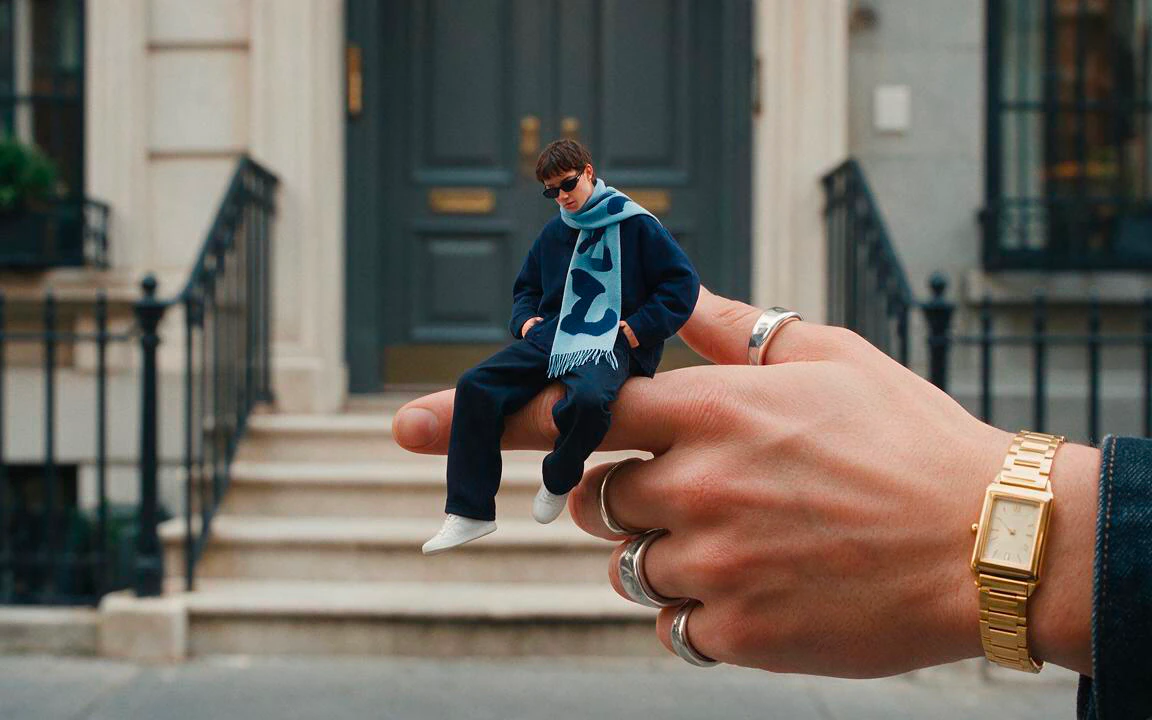
    Tiny man on a finger
    Create a surreal high-fashion horizontal editorial image set on a quiet upscale city street in front of an elegant townhouse entrance with tall dark-gray double doors, pale stone steps, black iron railings, and softly blurred architectural details in the background. In the foreground, show an enormous realistic human hand entering from the right side of the frame, dramatically oversized compared with the environment, wearing chunky silver rings and a refined rectangular gold wristwatch, with part of a dark denim sleeve visible near the wrist. Seated casually on the extended index finger is a tiny stylish young man, rendered with realistic proportions but miniature scale, wearing an oversized navy jacket, loose dark trousers, white sneakers, narrow black sunglasses, and a light blue fashion scarf with bold abstract navy graphics and fringed ends. Pose him relaxed and confident with one leg hanging down, the other bent, hands resting casually near his pockets, and his head slightly lowered. Use realistic skin texture on the giant hand, crisp fashion details on the miniature figure, shallow depth of field, soft overcast daylight, subtle cinematic contrast, and seamless forced-perspective compositing so the tiny man appears physically seated on the hand rather than pasted into the scene. Keep the composition wide and horizontal, with the giant hand occupying the lower-right and center, the miniature man near the visual center, and the townhouse architecture filling the background. Style: surreal fashion photography, luxury streetwear editorial, contemporary scale-play campaign, photorealistic compositing, premium magazine aesthetic. No text, no logos, no watermark.
  • Seedream 4.08 credits

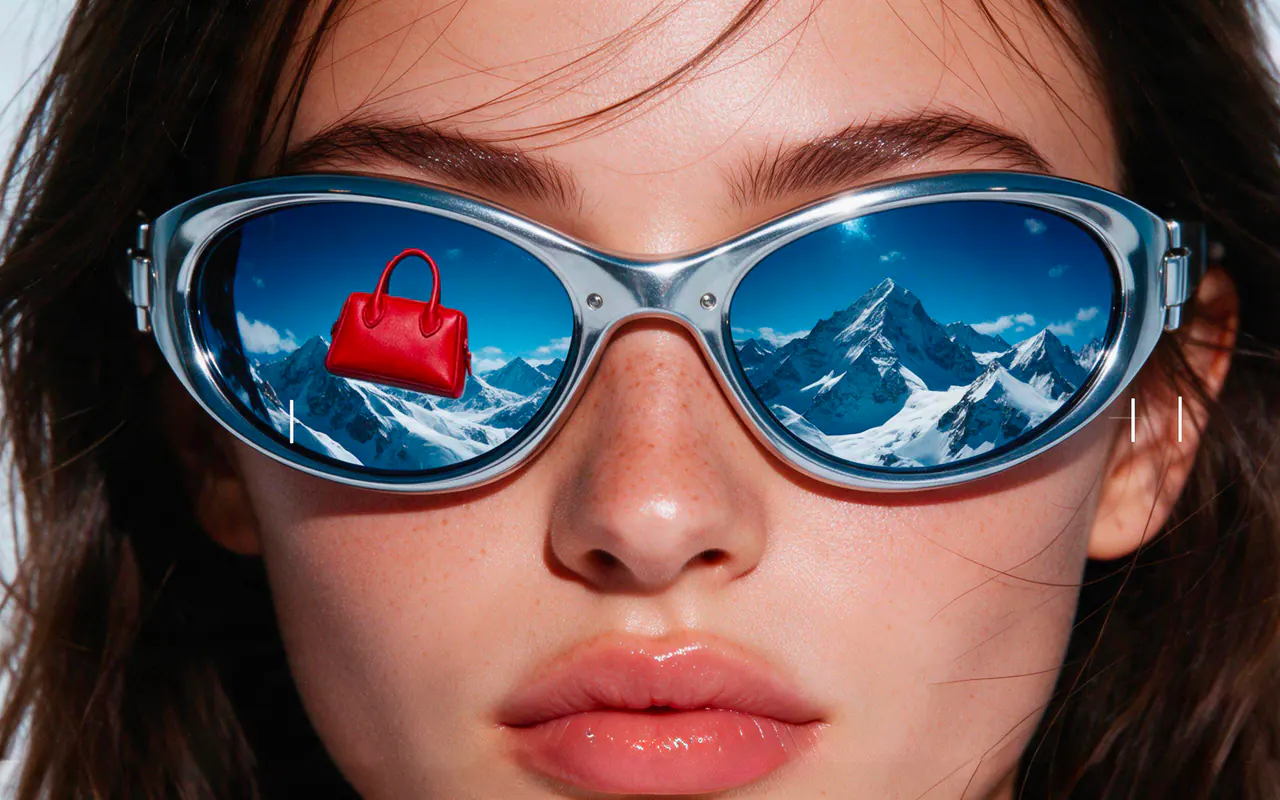
    Mirrored sunglasses beauty close-up
    Create a horizontal high-fashion beauty editorial image using an extreme macro close-up of a young woman’s face, cropped tightly so the eyes, nose, lips, and oversized sunglasses dominate the frame. Give her softly textured natural skin with visible freckles, glossy nude-pink lips, dark brows, and loose dark hair partially entering from the edges. She wears large futuristic silver oval sunglasses with thick metallic frames and deep blue mirrored lenses. Inside both lenses, reflect a vast snowy alpine mountain landscape under a vivid blue sky; in the left lens, place a tiny floating red handbag centered above the snowy ridge as a surreal focal point. Overlay the image with minimal white camera-viewfinder graphics, including corner brackets, focus marks, tiny horizontal indicators, a small battery icon, and subtle interface lines, keeping the graphics clean and secondary to the portrait. Use hard direct fashion-flash lighting, crisp skin detail, sharp metallic reflections, glossy lips, saturated blue lenses, and strong contrast between the warm skin tones, icy mountains, and red accessory. Keep the composition wide and cinematic, with the face spanning nearly the entire horizontal frame and the sunglasses positioned across the upper-middle area. Style: Y2K beauty campaign, surreal luxury editorial, futuristic eyewear advertising, macro fashion photography, digital-camera interface aesthetic, photorealistic, polished and high-end. No readable brand names, no logos, no watermark.
  • Seedream 5.0 Lite10 credits

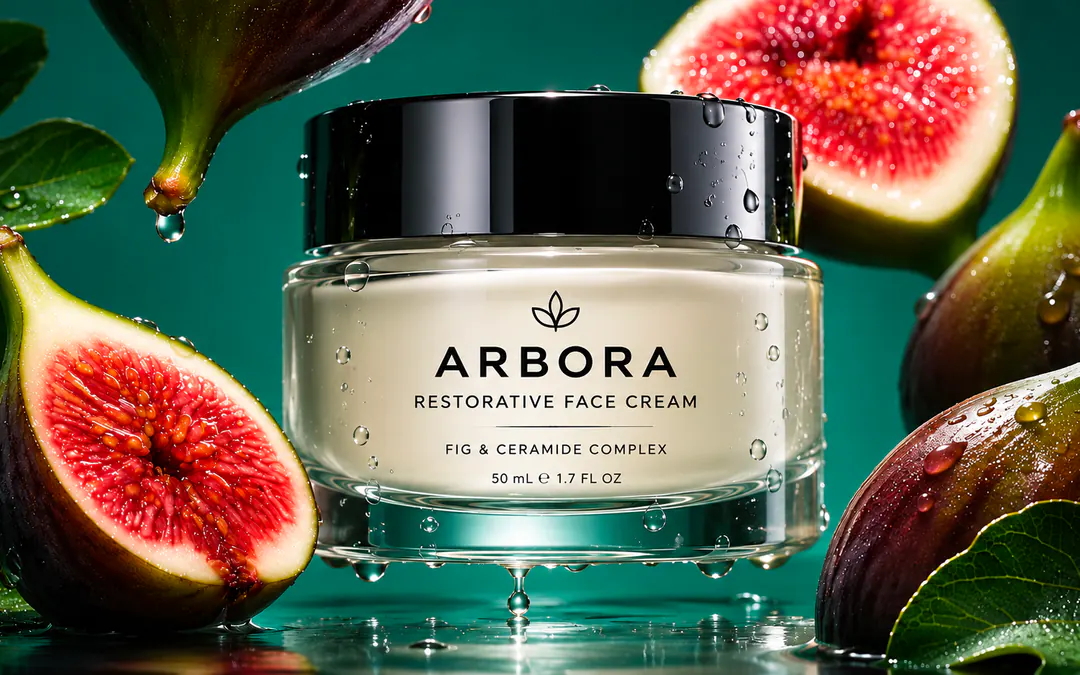
    Fig face cream ad
    Create a hyper-realistic luxury skincare product advertisement featuring a premium glass face-cream jar centered in the composition, surrounded by ripe fresh figs, sliced figs, glossy fig leaves, and suspended water droplets. Use a deep teal-green studio background with a wet reflective surface beneath the product, creating rich reflections and a sophisticated botanical mood. The jar should be made of thick transparent glass with a pale ivory cream visible inside, topped with a large glossy black cylindrical lid covered in realistic condensation droplets. Keep the packaging minimal and elegant, with refined black typography printed directly on the front: a small botanical leaf symbol above the brand name “ARBORA”, followed by “RESTORATIVE FACE CREAM”, a thin divider line, then “FIG & CERAMIDE COMPLEX”, and at the bottom “50 mL ℮ 1.7 FL OZ”. Frame the product tightly in a wide horizontal composition, placing a large sliced fig in the left foreground, another sliced fig softly blurred in the upper-right background, whole dark-purple figs around the right and upper edges, and glossy green leaves filling the corners. Add visible beads of water on the fruit, leaves, lid, glass jar, and reflective surface, including a few droplets frozen midair beneath the jar for a fresh hydrated effect. Use dramatic premium studio lighting with strong specular highlights, deep controlled shadows, luminous glass edges, crisp fig textures, shallow depth of field, subtle background bokeh, and polished commercial beauty photography. Keep the jar as the unmistakable focal point, perfectly front-facing and sharply detailed, with natural botanical richness around it. No extra objects, no watermark, no additional text beyond the specified packaging copy.

Which Seedream should you use?

What are you making?
Seedream versions compared: release date, best use, limits and credits per image

Seedream 4.0

Sep 9, 2025

Seedream 4.5

Dec 4, 2025

Seedream 5.0 Lite

Feb 13, 2026

Seedream 5.0 Pro

Jul 8, 2026

Best for

Cheapest batches, quick drafts, unified generate-and-edit

Character and product consistency across many references; photoreal 4K

Fast, cheap social batches; reasoning and web-grounded images

Posters, infographics, packaging, multilingual text, layered exports, point-and-lasso edits

Watch out for

Weakest small text; older aesthetics

No layers, no point-edit

Smaller model; text slightly weaker than Pro

Highest cost; 2K maximum in Renderforest today

References

10

14

14

10

Max output

4K

4K

4K

2K

Credits per image

7 · 8 · 9

10 (2K) · 12 (4K)

8 (2K) · 9 (3K) · 10 (4K)

18 (1K) · 32 (2K)

Seedream 5.0 Flash

Oct 1, 2026 · Speed at the lowest API price

Not hosted in Renderforest yet

Seedream or Nano Banana Pro or
GPT Image 2.5:
which one?

Choose Seedream 5.0 Pro when the output is a design: layouts, infographics, posters in several languages, anything you will want as layers. Choose Nano Banana Pro for plain-word edits that must keep a face or product exactly as it is. Choose GPT Image 2.5 for text-heavy, instruction-dense briefs and the widest style range. In Renderforest all three are one click apart: draft in one, finalize in another, and let the result decide. See the GPT Image 2.5 page for that model's own strengths.

Seedream, explained

What is Seedream?

Seedream is ByteDance's family of AI image generation and editing models, built by the ByteDance Seed research team, the same lab behind the Seedance video models. It started as the image engine inside ByteDance's own apps (Doubao, Jimeng, Dreamina) and became a public model line in 2025. What set it apart was text: Seedream was the first widely used model to render Chinese and English typography reliably, and each version since has pushed the same idea further: 4.0 unified generation and editing in one model, 4.5 added 14-reference consistency, 5.0 Lite added reasoning and live web retrieval, and 5.0 Pro (July 2026) added layout understanding, point-and-lasso editing and layer separation. In Renderforest, Seedream runs inside a full creative suite, so an image becomes an edited, branded, animated deliverable instead of a download. Not to be confused with Seedance, ByteDance's video model, also available here.

Seedream versions in 2026, explained

Seedream 4.0 (Sep 9, 2025): generation and editing in one model, native 4K, multi-image input. The cheap draft engine.
Seedream 4.5 (Dec 4, 2025): up to 14 reference images, stronger small text and poster typography, native 4K, roughly 10× faster than 4.0. The consistency engine.
Seedream 5.0 Lite (Feb 13, 2026): chain-of-thought visual reasoning and live web search, priced below 4.5. The fast, smart batch engine.
Seedream 5.0 Pro (Jul 8, 2026): "it understands design", with information visualization, point / lasso / sketch editing, color and material replacement, layer separation, multi-image fusion, text in Chinese, English and ten more languages. The design engine.
Seedream 5.0 Flash (Oct 1, 2026): ByteDance's speed-and-price tier. Not in Renderforest yet; we add models within days of release.
There is no "Seedream 5.5": pages advertising one are speculation. In Renderforest you pick the version per generation, so drafts run on 4.0 or Lite and finals on Pro.

How to write Seedream prompts that work

Seedream rewards briefs, not keyword lists. Four rules cover most jobs. First, quote the exact text: put every word that must appear (headline, subline, label, price) in quotation marks and say where it goes ("headline top-left, subline under it"). Second, name the format and the language: "A2 poster", "16:9 infographic", "packaging front panel", "headline in Japanese, subline in English". Third, reference by number when you upload: "@Image 1 is the product, @Image 2 the lighting; keep the label from @Image 1 exactly". This is how 4.5 holds 14 references together. Fourth, edit by pointing, not re-prompting: on 5.0 Pro, lasso the region and describe only the change; a follow-up prompt edits the previous result instead of rerolling it. Save winning prompts in Renderforest and re-run them with your brand kit applied.

Seedream vs Seedance: what's the difference?

Same lab, two products. Seedream makes images; Seedance makes video (Seedance 2.5 is in Renderforest's video picker). ByteDance's own Dreamina page mixes the names up, and the queries "seedream vs seedance" and "seedance vs seedream" exist because of it. The practical answer: generate or edit the frame with Seedream, then hand it to Seedance image-to-video for motion. The two sit side by side in Renderforest, which is the one place the comparison stops mattering.

Can Seedream make videos?

No. Seedream is an image model. That is exactly why it pairs well with Renderforest: generate the poster, product shot or character frame with Seedream, then send it to Seedance 2.5, Kling 3.0, Gemini Omni Flash or MiniMax H3 image-to-video in the same workspace, and finish the clip with music, subtitles and your branding in the editor. The generate → animate → publish chain is the workflow this page exists for, and the one standalone Seedream sites cannot offer.
What creators make with Seedream

  • Seedream draws the poster with the Japanese headline right the first time, and the layers let me move the subline myself instead of re-rolling. The animated version ships from the same project.

    Yuki T.

    Event marketer

  • Three photos of our bottle in, a whole catalog out, label intact. Then a product video for the listing without opening another tool.

    Marco R.

    DTC founder

  • I came for Seedream 4.5's character consistency and stayed because Seedance is one click away. My storyboard became motion tests in an afternoon.

    Priya S.

    Animation studio lead

One plan. Every model. The cost on the button, not in the small print.

Seedream 5.0 Pro, 4.5, 5.0 Lite and 4.0 sit alongside Nano Banana, GPT Image, Flux, Grok Imagine and the top video models under one Renderforest plan, with credits you can see before you click. No API keys, no per-model subscriptions. Start free, upgrade when your output does.

A Seedream 5.0 Pro image is 18 credits at 1K · 4.5 is 10 credits at 2K · 4.0 is 7 credits.
For reference, ByteDance's API resellers charge $0.027–0.045 per image before any editor, license or video.

Content policy

Renderforest does not generate nudity, sexual content, or sexual or deceptive deepfakes of real people. Every prompt and upload is screened by automated moderation, flagged cases are reviewed by our Trust and Safety team, and accounts that try to create prohibited content are closed. Read the full Acceptable Use Policy.

Seedream FAQ

What is Seedream AI?

Seedream is ByteDance's family of AI image generation and editing models, made by the ByteDance Seed team (the lab behind the Seedance video models). The current versions are 4.0, 4.5, 5.0 Lite, 5.0 Pro and 5.0 Flash. It is known for accurate text rendering, consistency across many reference images and, in 5.0 Pro, design-aware output with editable layers. In Renderforest, Seedream runs inside a full editor, so you can generate, edit, animate and publish in one place.

Who makes Seedream? Is it Chinese?

Seedream is developed by ByteDance Seed, the AI research group of ByteDance (the company behind TikTok and CapCut), headquartered in China. Renderforest runs Seedream through official API access; it is an independent platform, not affiliated with ByteDance.

Is Seedream free to use?

Partly. ByteDance's own apps offer limited free generations with caps. In Renderforest you can sign up free, with no card, and create images with the Renderforest model; Seedream 4.0, 4.5, 5.0 Lite and 5.0 Pro unlock on any paid plan, which adds monthly credits across every model, the editor, templates and a commercial license. We do not say "unlimited" because no hosted Seedream is.

How much does Seedream cost per image?

In Renderforest a Seedream 5.0 Pro image costs 18 credits at 1K and 32 at 2K; 4.5 costs 10 credits at 2K and 12 at 4K; 5.0 Lite 8–10; 4.0 7–9. For comparison, ByteDance's API resellers list roughly $0.027 (4.0) to $0.045 (5.0 Pro) per image, plus $0.46–0.75 for layer decomposition, before any editor, license or video.

Which Seedream version should I use?

Use 5.0 Pro for anything that is a design: posters, infographics, packaging, multilingual text, layered exports. Use 4.5 when the same person or product must stay consistent across many references. Use 5.0 Lite for fast, cheap batches with reasoning, and 4.0 for the cheapest drafts. The model picker above the prompt box shows each version's credits, so switching costs one click.

What's new in Seedream 5.0 Pro?

Released July 8, 2026, 5.0 Pro adds layout understanding (information visualization, charts, posters with correct hierarchy), interactive precision editing (point, lasso and sketch selection, color and material replacement), layer separation into editable layers, multi-image fusion, improved lighting and skin texture, and native text in Chinese, English and ten more languages. ByteDance notes finer-grained text and pixel-level edit consistency still have room to improve.

What resolution does Seedream support?

In Renderforest: 5.0 Pro at 1K or 2K; 4.5 and 5.0 Lite up to 4K; 4.0 up to 4K. Many sites advertise "native 4K" for every version; the honest answer is per version, and for print work you can upscale in the editor.

How many reference images can Seedream use?

Up to 14 on Seedream 4.5 and 5.0 Lite, 10 on 5.0 Pro and 4.0 in Renderforest. Reference by number in the prompt ("keep the label from @Image 1") to control what each upload contributes.

Can Seedream edit my own photos, or just part of one?

Yes. Upload a photo and describe the change, or on 5.0 Pro click a point or lasso a region and describe only what should change there; the rest of the image stays untouched. Edits are iterative: each instruction works on the previous result.

Does Seedream render text in other languages?

Yes. 5.0 Pro renders typography natively in Chinese and English plus a dozen widely used languages, including French, German, Spanish, Russian, Japanese, Korean and Arabic. Put the exact wording in quotes and name the language and placement.

Can I use Seedream images commercially?

ByteDance's terms permit commercial use of outputs, and Renderforest paid plans add a commercial license covering your exported images and videos, with no Renderforest watermark. Prompting trademarked characters or logos you do not own remains your legal risk, and EU transparency rules may require disclosing AI-generated content in some commercial contexts.

Is Seedream open source? Can I download or run it locally?

No. Seedream models are proprietary and available only through ByteDance's apps and API partners; there are no public weights to download. Renderforest runs them in the browser: nothing to install, no GPU needed.

Seedream vs Seedance: what's the difference?

Same lab, two products: Seedream generates and edits images; Seedance generates video. Both are in Renderforest: make the frame with Seedream, then animate it with Seedance 2.5 image-to-video in the same project.

Can Seedream make videos?

No, it is an image model, but any Seedream image in Renderforest has an Animate button that hands it to Seedance 2.5, Kling 3.0, Gemini Omni Flash or MiniMax H3 image-to-video, with the editor for music, subtitles and branding. (Renderforest does not generate adult or explicit content with any model.)

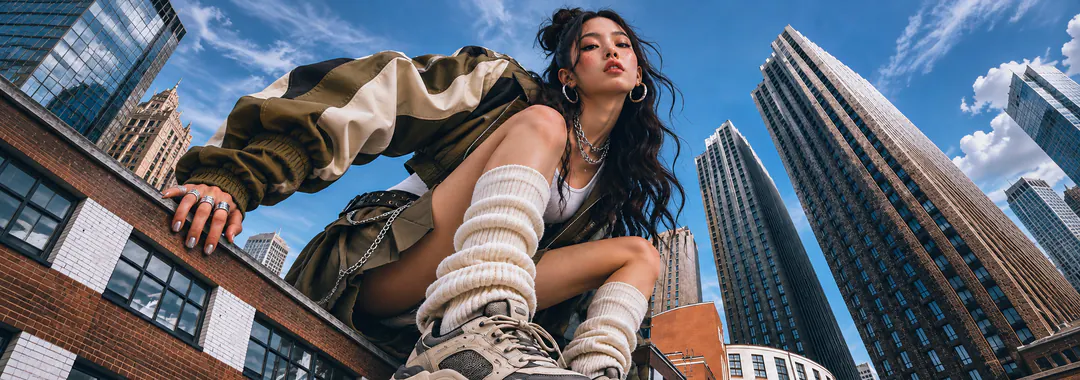
Streetwear portrait in the city

No credit card required.

Your next design is one prompt away.
Your next video, one click after that.

Generate and edit with ByteDance's Seedream, animate with the best video models, and publish branded content, all in the platform 40M+ creators already trust.

Start creating free